


Ámbito de aplicación
Esta guía se aplica a Gate Web
Antes de comenzar: Asegúrate de haber activado Google Authenticator o Gate Authenticator y de haber establecido tu contraseña de fondos
Tiempo estimado: 3 min
Objetivo
Esta guía te mostrará cómo añadir y gestionar direcciones de retiro en la lista blanca en Gate Web.
Pasos
Paso 1: Accede a la página de retiros
- Inicia sesión en tu cuenta de Gate.
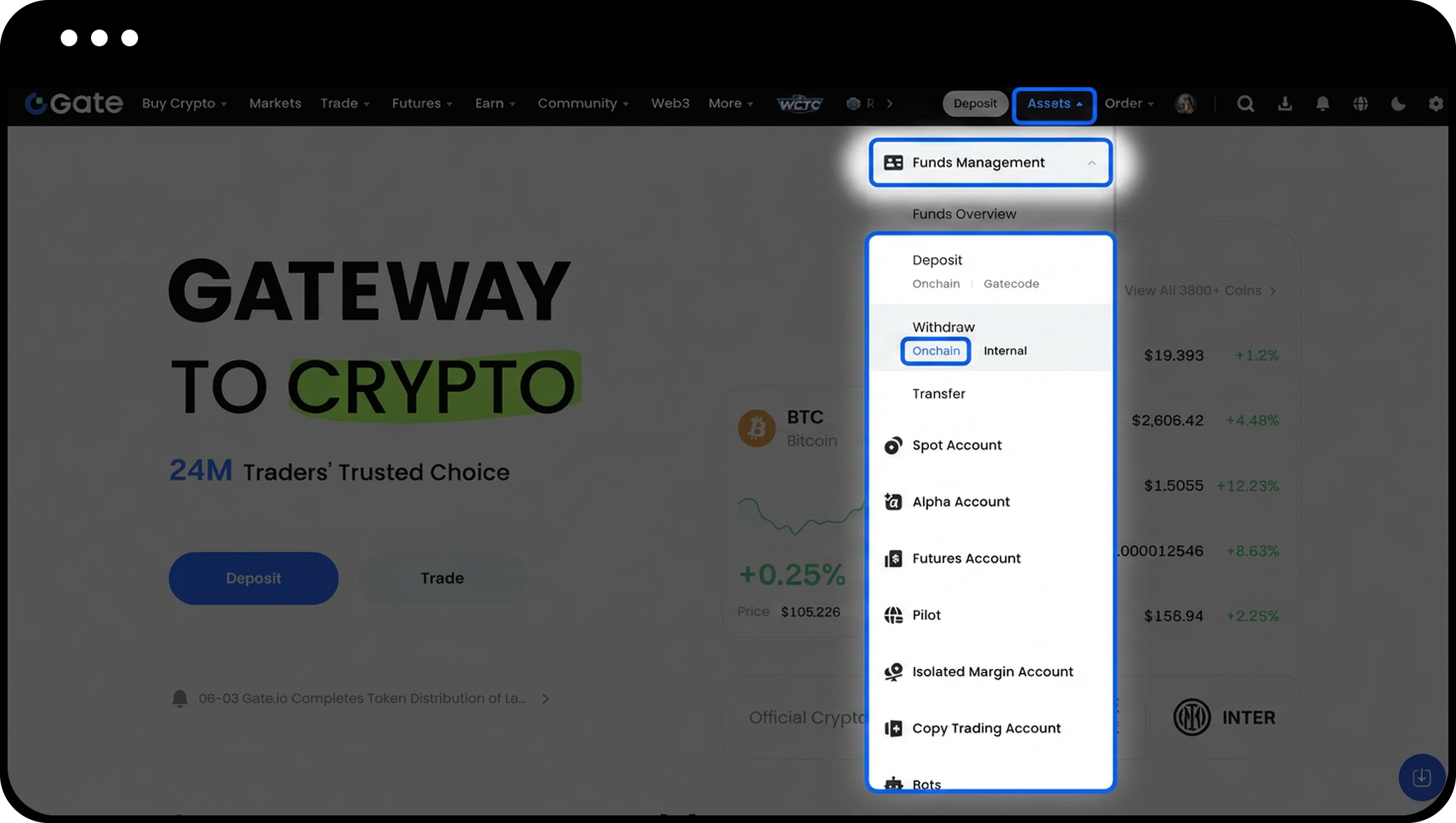
- Haz clic en "Activos" → "Gestión de fondos" → "Retirar" → "Onchain".
Paso 2: Accede a la gestión de direcciones
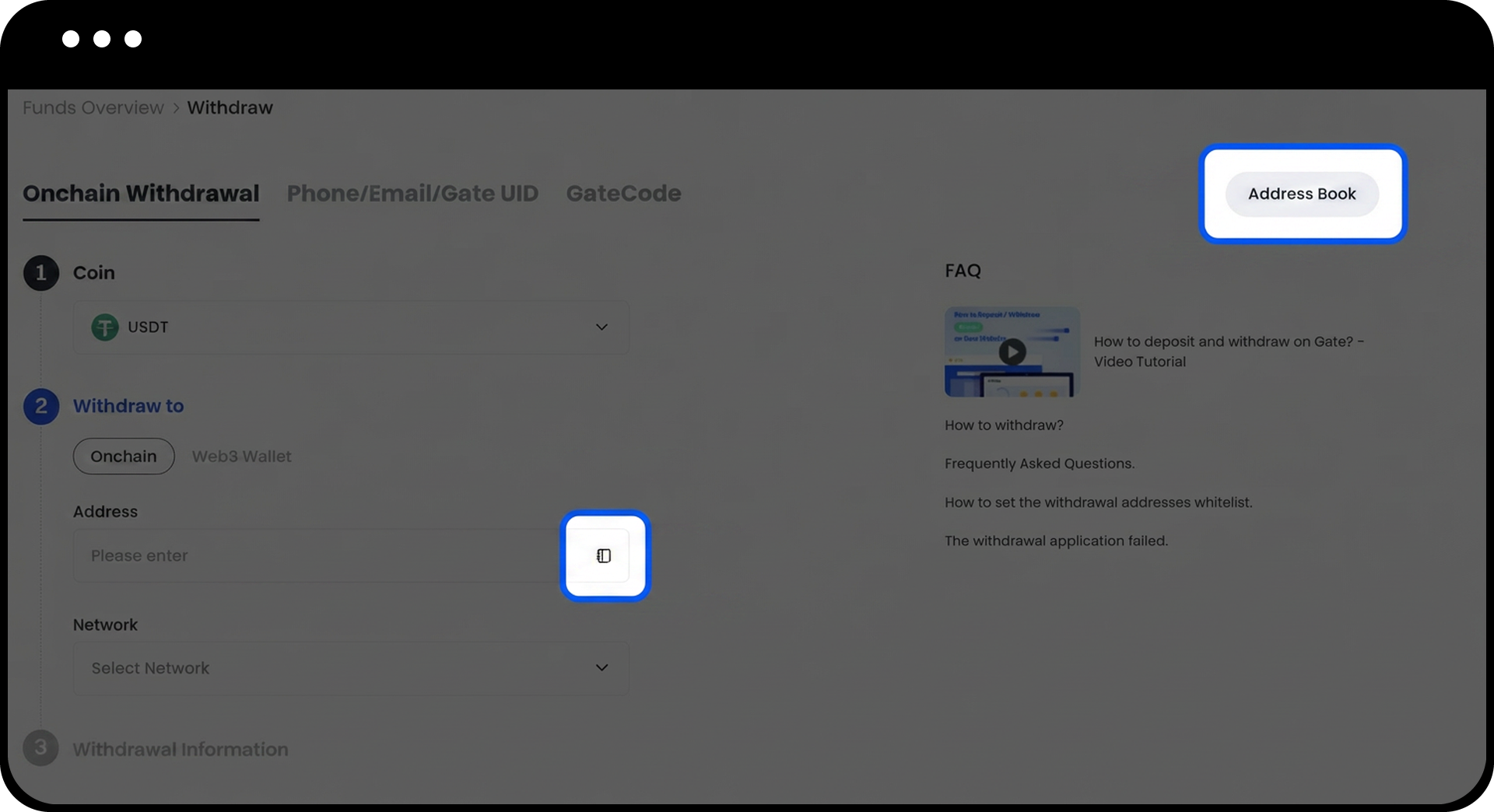
Haz clic en el botón "Gestionar direcciones" en la página de retiro.
Paso 3: Inicia el proceso para añadir una nueva dirección
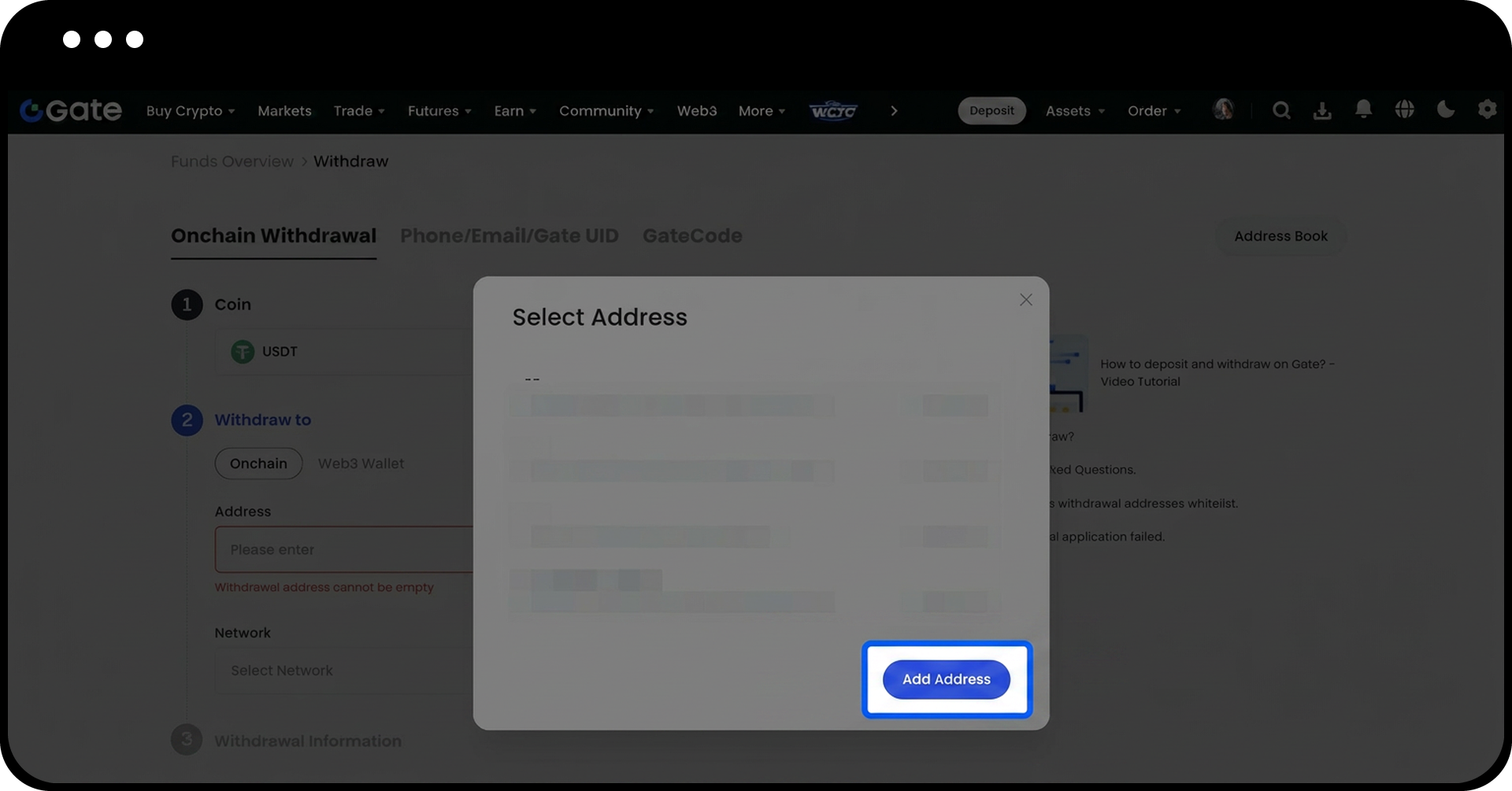
Haz clic en el botón "Añadir dirección" en la página de gestión de direcciones.
Paso 4: Configura la dirección de retiro
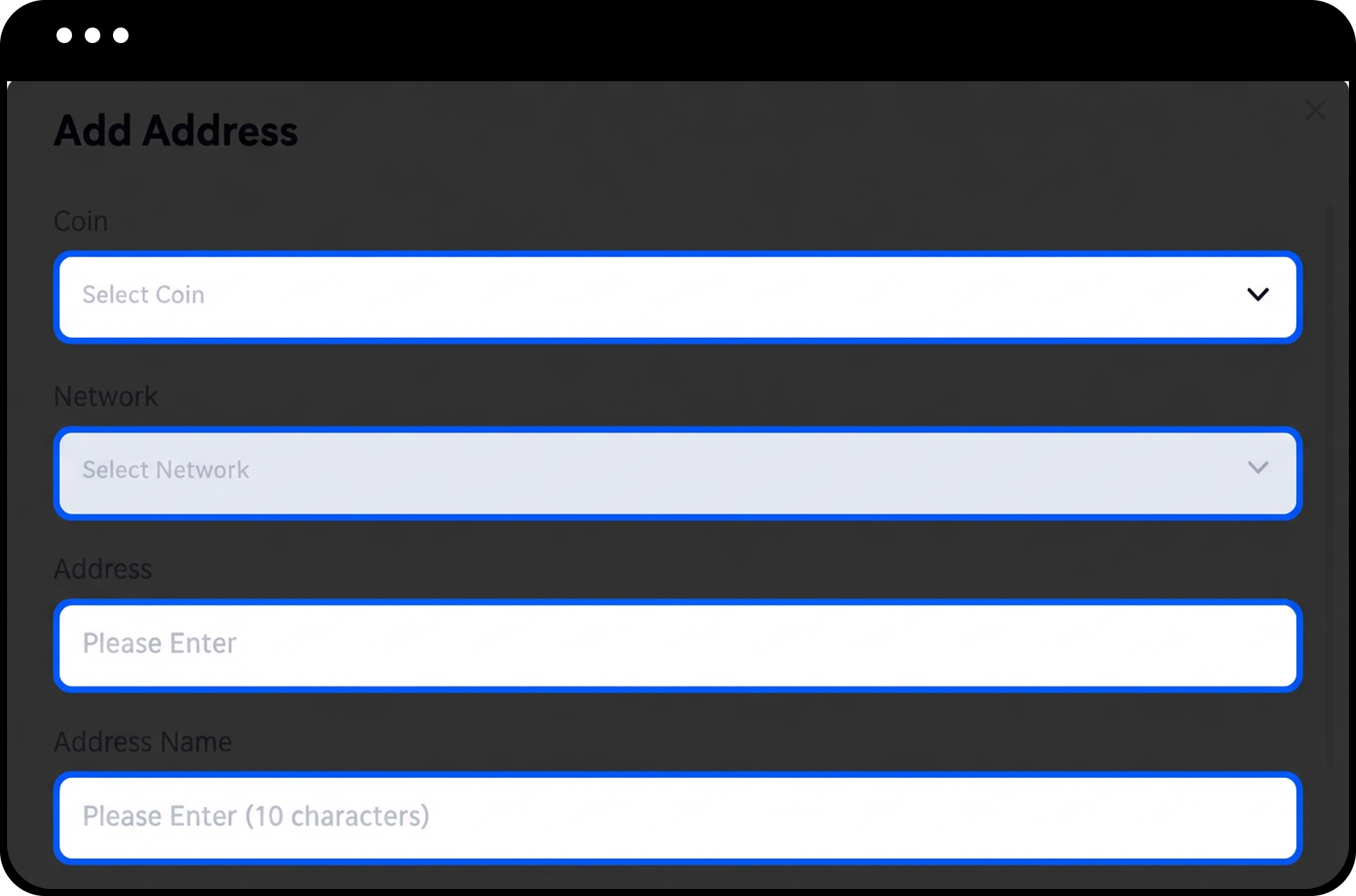
- Selecciona la moneda y la red.
- Introduce la dirección de retiro y el nombre de la dirección.
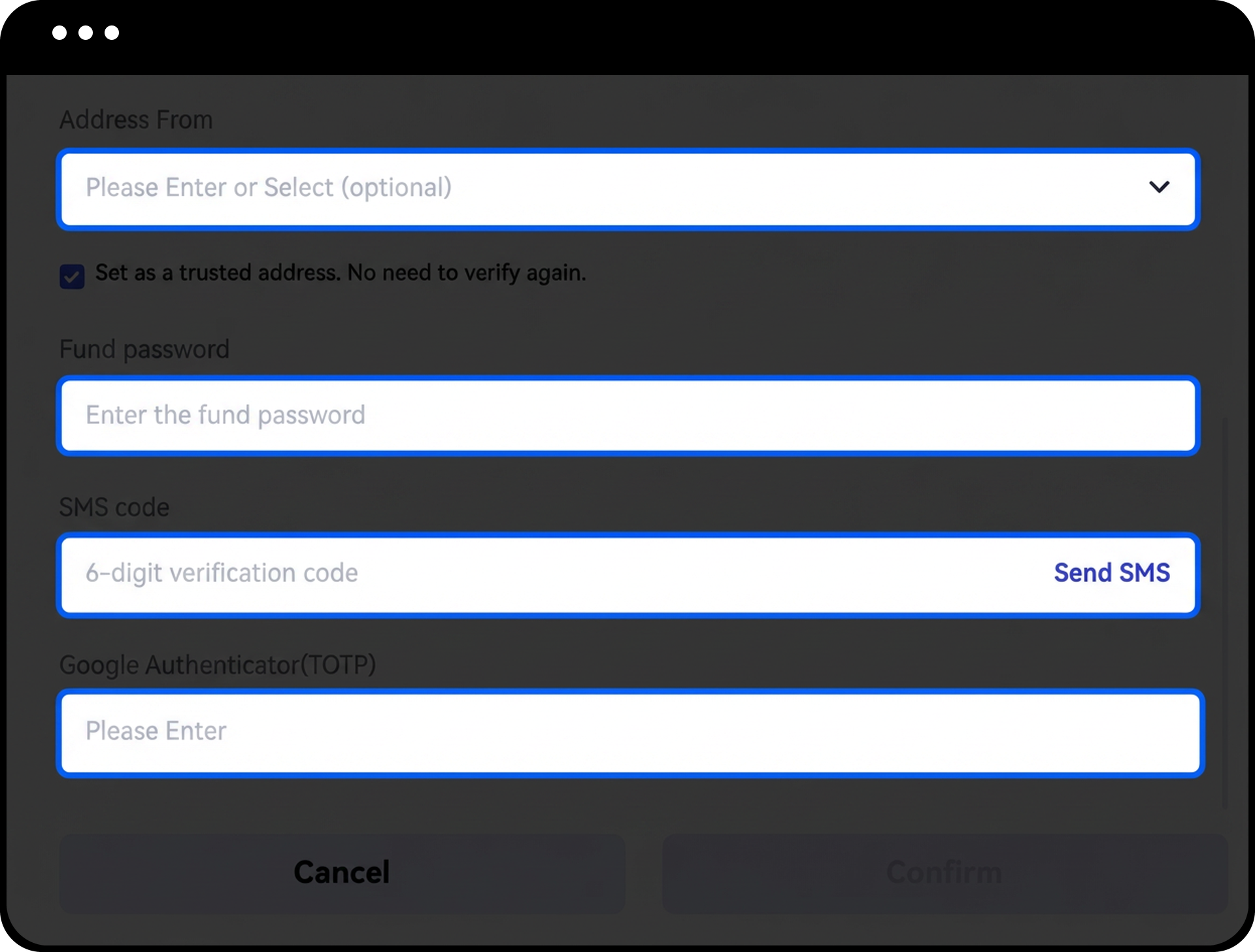
- Ingresa tu contraseña de fondos y el código de Google Authenticator.
- (Opcional) Marca la casilla "Establecer como dirección de confianza. No es necesario verificar de nuevo" para omitir la verificación en futuros retiros a esta dirección.
- Haz clic en "Confirmar" para completar el proceso.
Paso 5: Gestiona las direcciones existentes
Tras añadir direcciones correctamente, puedes:
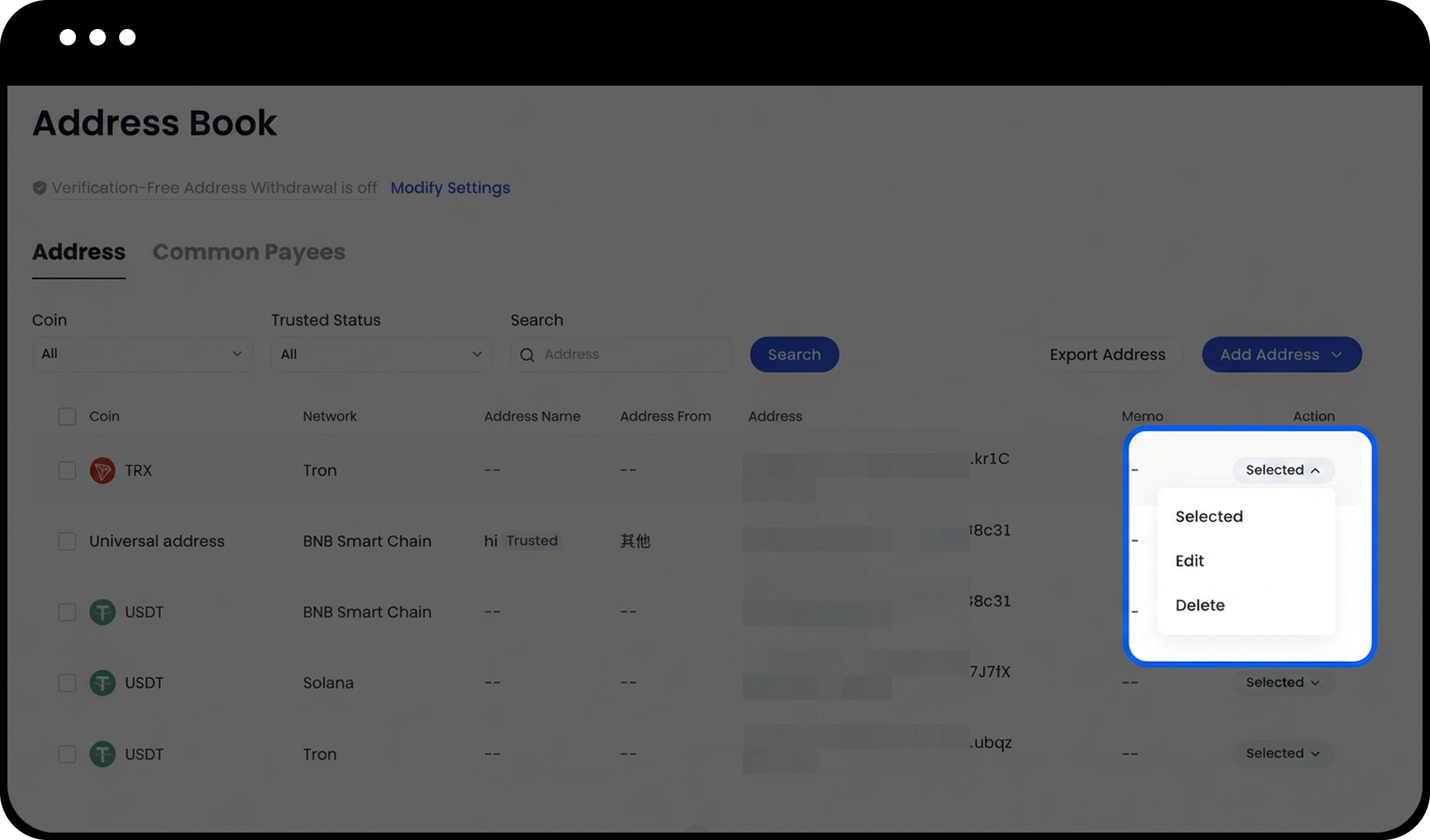
- Ver todas las direcciones guardadas en la página de gestión de direcciones
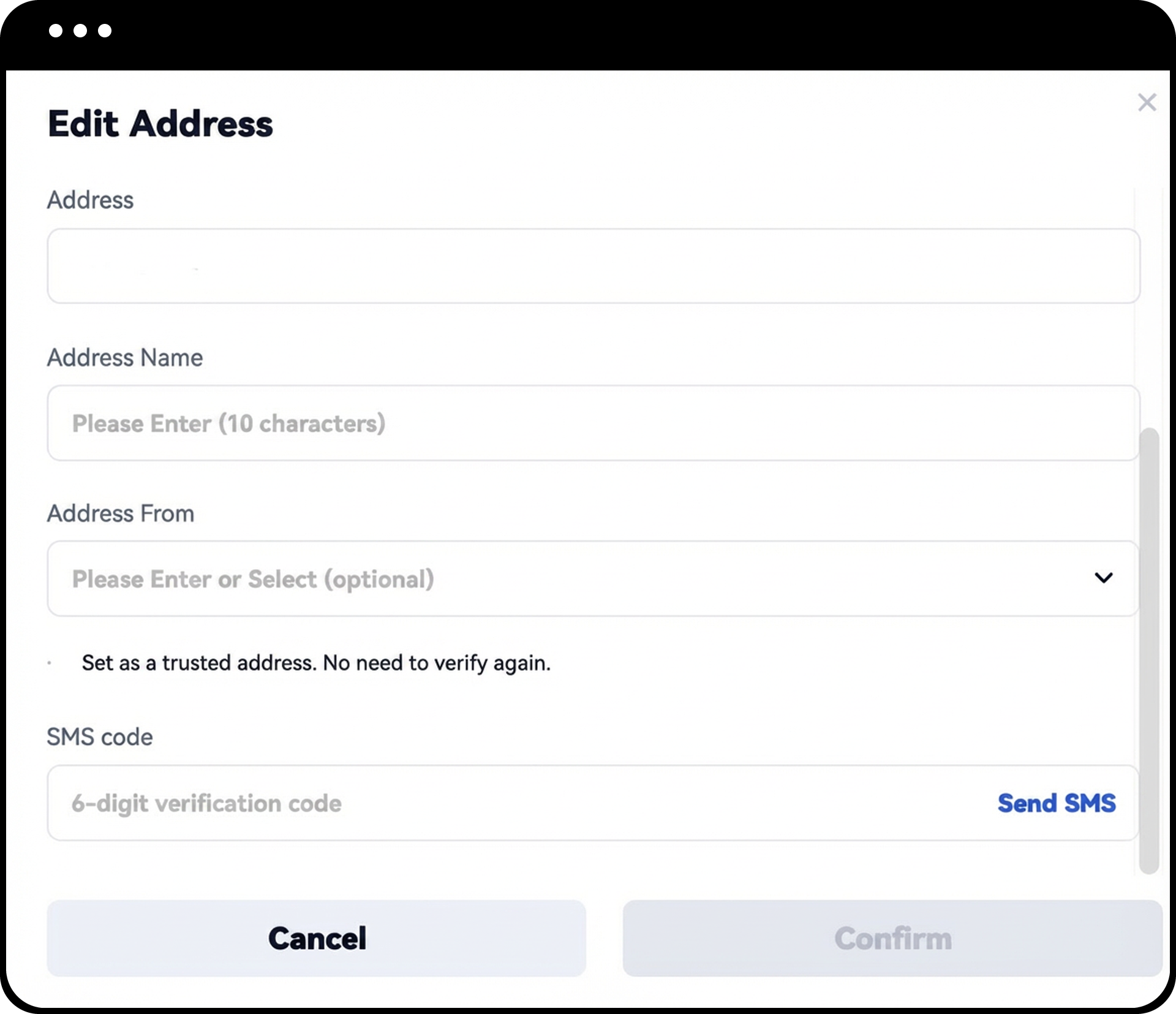
- Hacer clic en "Editar" para modificar la información de la dirección o establecer una dirección existente como de confianza
- Hacer clic en "Eliminar" para quitar direcciones que ya no necesites
Paso 6: Añadir múltiples direcciones (opcional)
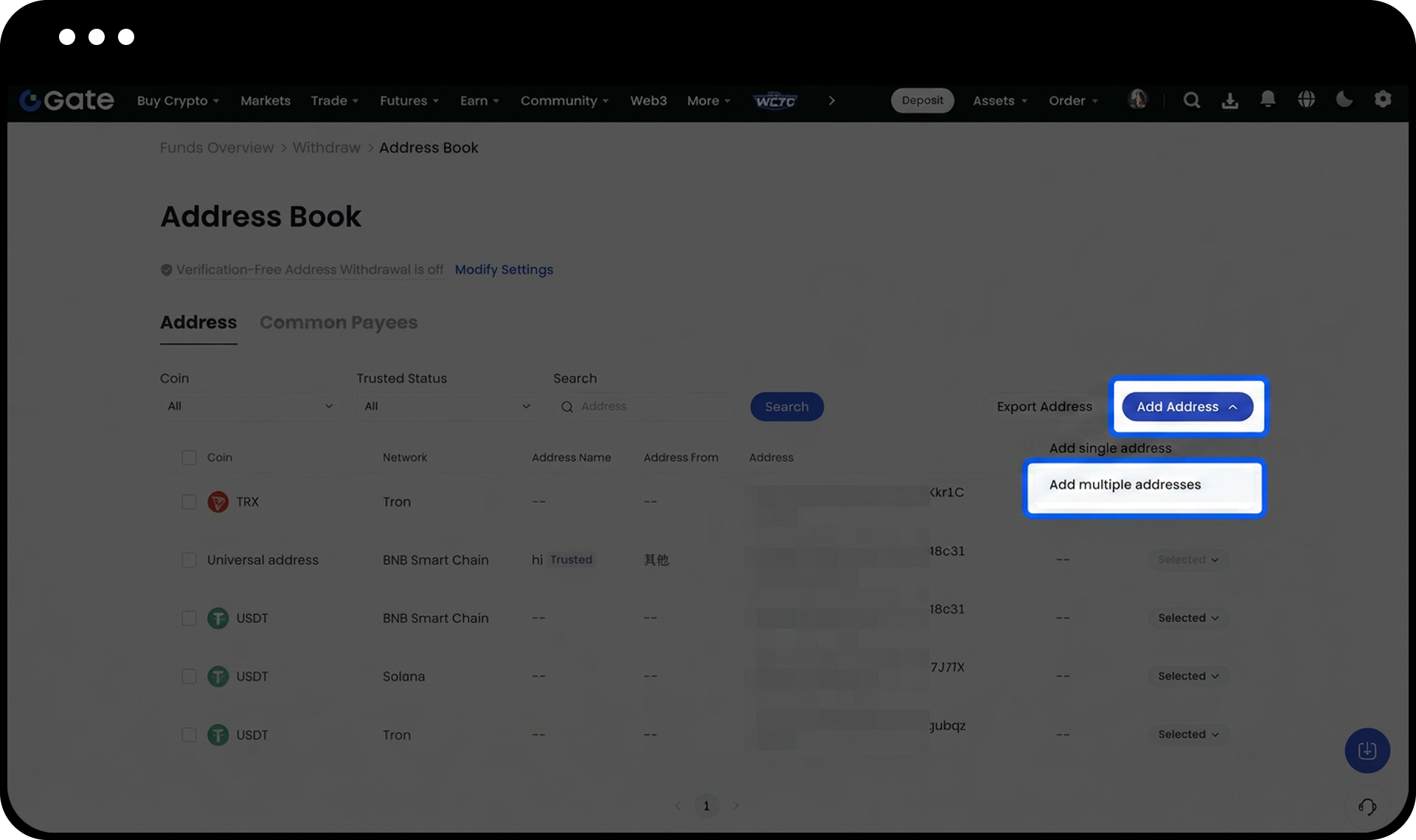
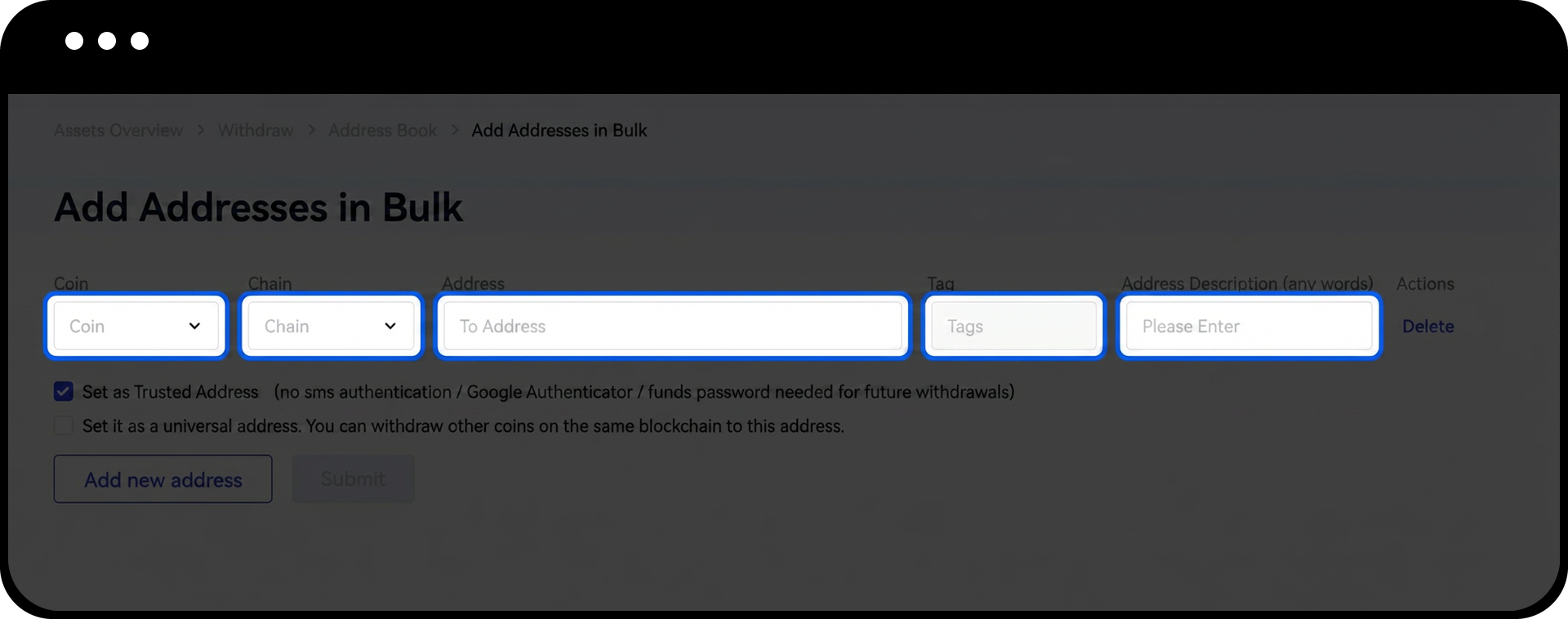
- Haz clic en "Añadir múltiples direcciones" en la página de gestión de direcciones.
- Introduce la siguiente información para cada dirección:
- Moneda
- Red
- Dirección
- Tag (deja en blanco si no es necesario)
- Descripción de la dirección
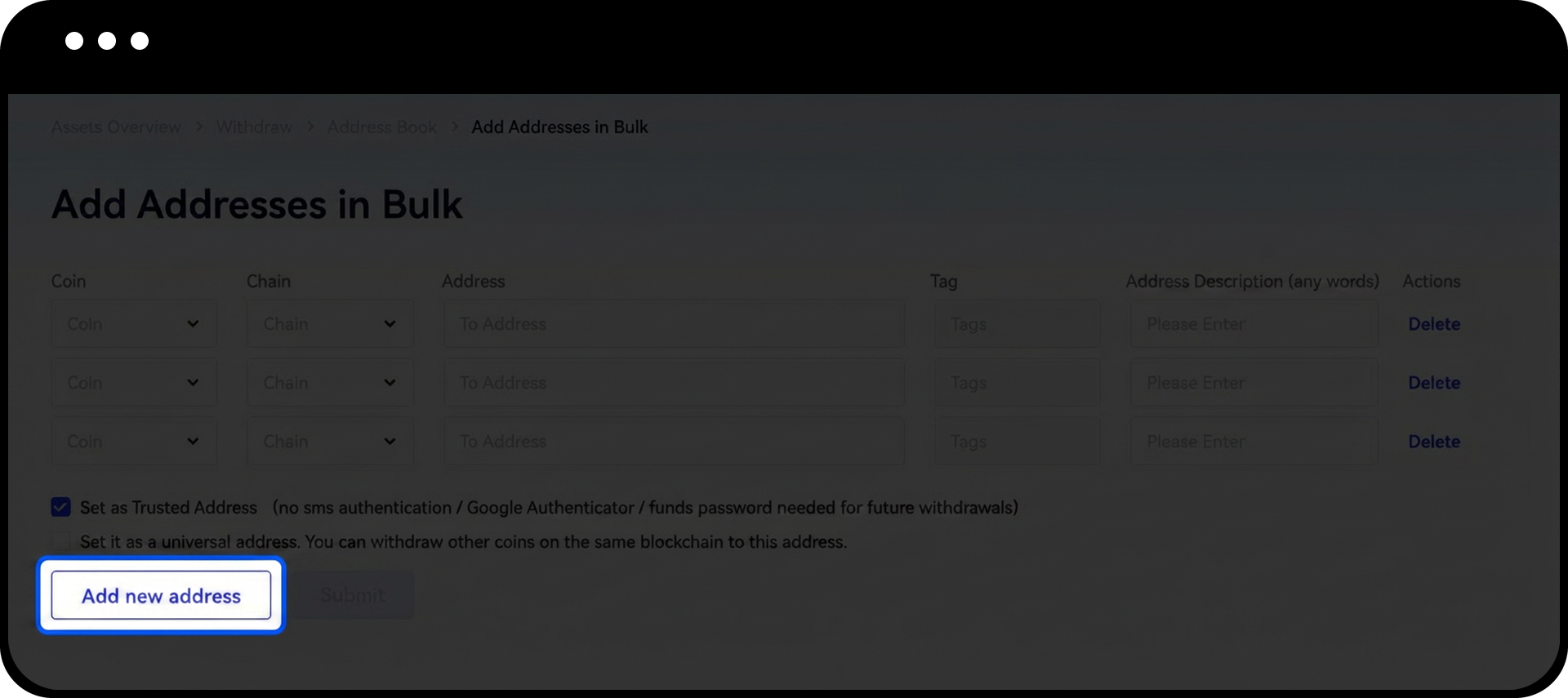
- Haz clic en "Añadir nueva dirección" para agregar más direcciones en el mismo lote.
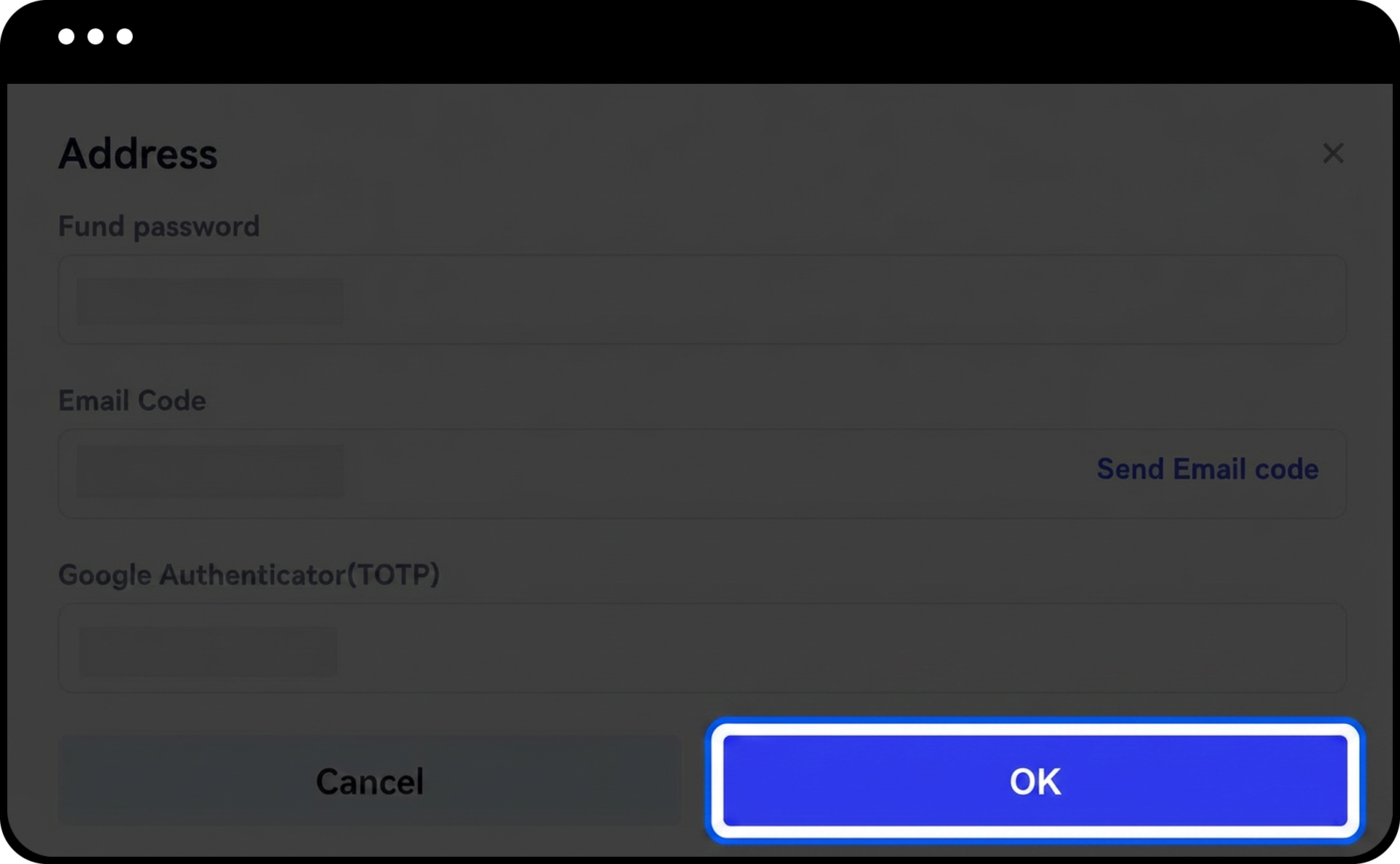
- Ingresa tu contraseña de fondos y el código de Google Authenticator.
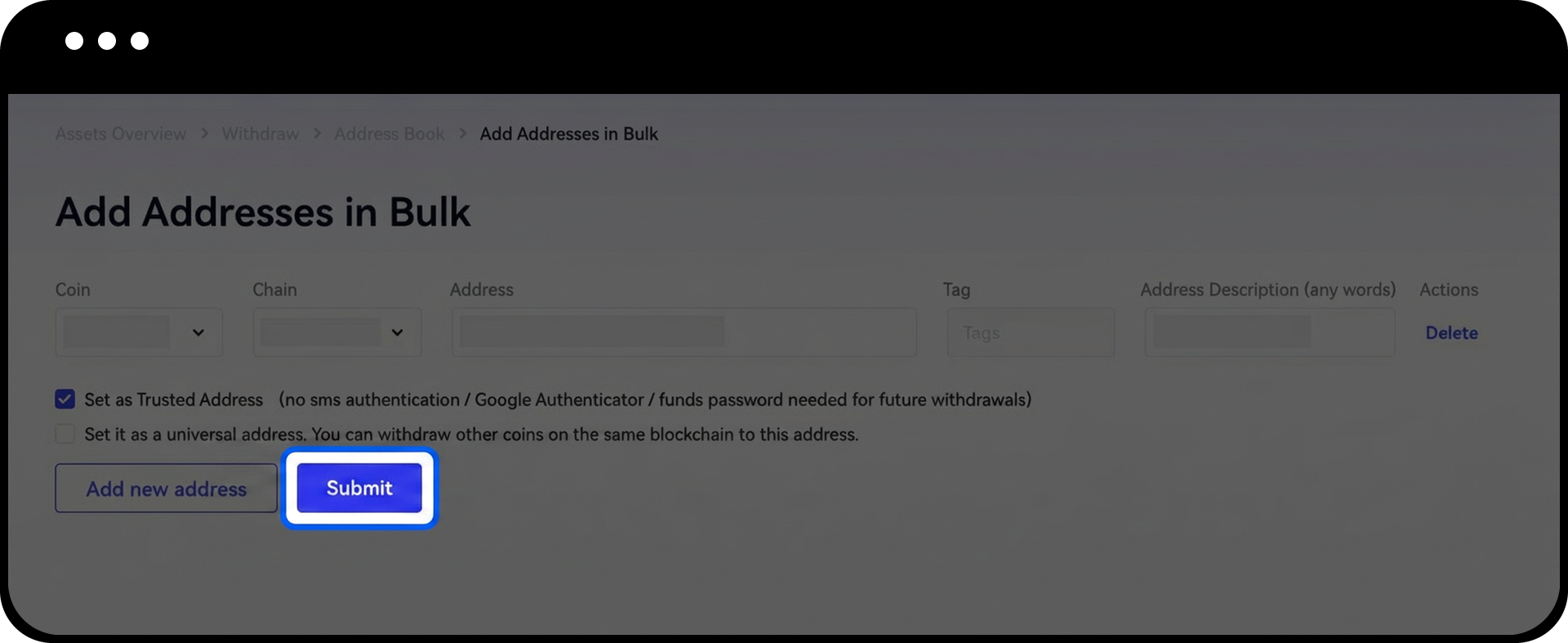
- Haz clic en "OK" para añadir todas las direcciones.
Notas
- Las direcciones de confianza omiten los procesos de verificación habituales, incluidos el código de verificación por SMS, el código de verificación por correo electrónico, el código de Google/Gate Authenticator y la contraseña de fondos al realizar retiros.
- Solo añade direcciones a tu lista de direcciones de confianza si tienes absoluta certeza sobre su seguridad y titularidad.
- Las direcciones que no se hayan establecido como de confianza o a las que hayas retirado fondos con éxito se mostrarán en la página de gestión de direcciones.
- Al añadir direcciones en lote, puedes configurar la opción de dirección de confianza para cada dirección de forma individual.
- La configuración de la lista blanca de direcciones puede estar sujeta a medidas de seguridad adicionales según el nivel de seguridad de tu cuenta y el importe del retiro.
Preguntas frecuentes
P1: ¿Cuál es la diferencia entre una dirección guardada normal y una dirección de confianza?
R: Las direcciones guardadas normales requieren verificación (SMS, correo electrónico, códigos de autenticación y contraseña de fondos) en cada retiro. Las direcciones de confianza omiten estos pasos de verificación, permitiendo retiros más rápidos pero exigiendo mayor confianza en su seguridad.
P2: ¿Puedo convertir una dirección guardada normal en una dirección de confianza más adelante?
R: Sí, puedes editar cualquier dirección guardada existente y marcar la casilla "Establecer como dirección de confianza. No es necesario verificar de nuevo" para convertirla en una dirección de confianza.
P3: ¿Cuántas direcciones puedo añadir a mi lista blanca?
R: Gate no especifica un límite estricto para las direcciones en la lista blanca. Sin embargo, se recomienda incluir solo aquellas direcciones que utilices con frecuencia y en las que confíes plenamente por motivos de seguridad.
P4: ¿Qué debo hacer si elimino accidentalmente una dirección de la lista blanca?
R: Puedes volver a añadir la dirección siguiendo los pasos de esta guía. Tendrás que pasar de nuevo por el proceso de verificación al añadirla otra vez.
Descargo de responsabilidad
El contenido aquí proporcionado es solo para fines de referencia y educativos, y no constituye asesoramiento financiero, de inversión, comercial ni legal, ni constituye una oferta o solicitud para comprar o vender activos digitales. Gate no realiza declaraciones ni garantías, expresas o implícitas, sobre la exactitud, integridad o actualidad de la información contenida en este documento. Las características del producto, interfaces, normas y estructuras de tarifas pueden actualizarse o modificarse en cualquier momento. Consulta los comunicados más recientes y la información que aparece en la plataforma de Gate para obtener los detalles más precisos.
Las inversiones en activos digitales implican un riesgo significativo y los precios pueden fluctuar considerablemente. Podrías perder la totalidad de tu inversión. Toma decisiones con cautela en función de tu situación financiera y tolerancia al riesgo, una vez que hayas comprendido plenamente los riesgos asociados. Si es necesario, te recomendamos consultar con un asesor financiero o legal independiente.
Para más información sobre los posibles riesgos, consulta la Divulgación de riesgos y el Acuerdo de usuario de Gate.
