


Gate web sitesinde giriş şifresi nasıl sıfırlanır:
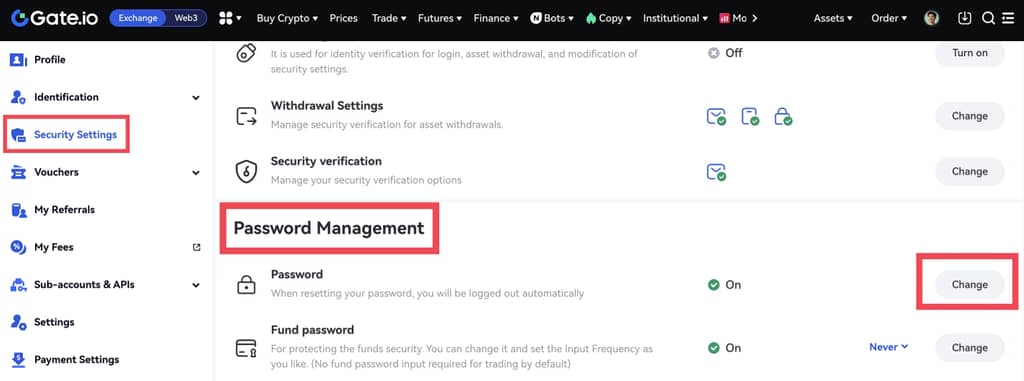
1. Adım: Hesabınıza giriş yapın. İmlecinizi sağ üst profil simgesine getirin ve “Güvenlik Ayarları” - “Şifre Yönetimi” - “Şifre” - “Değiştir” seçeneğine gidin.
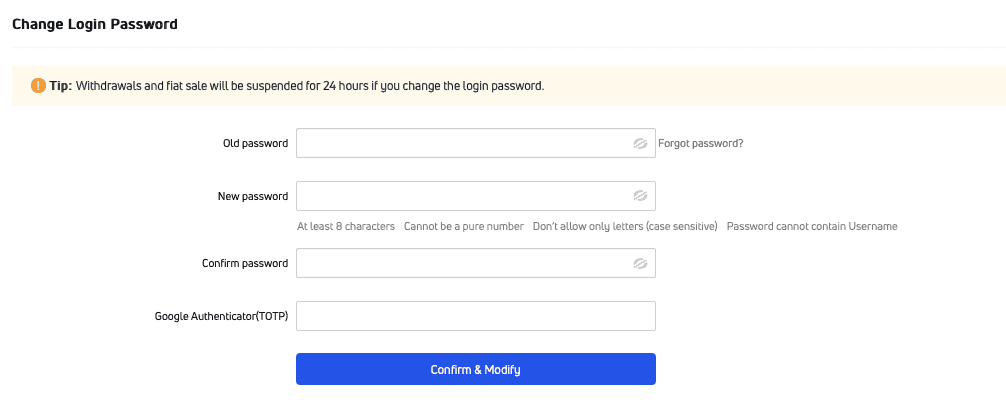
2. Adım: Eski şifrenizi, yeni şifrenizi (ikinci kez onaylayın) ve TOTP'yi (Google doğrulama kodu) girin. Ardından “Onayla ve Değiştir” seçeneğine tıklayın.
Giriş şifrenizi unutursanız, lütfen aşağıdaki işlemleri yapın:
1. Adım: Giriş sayfasında “Şifrenizi mi unuttunuz?” seçeneğine tıklayın.
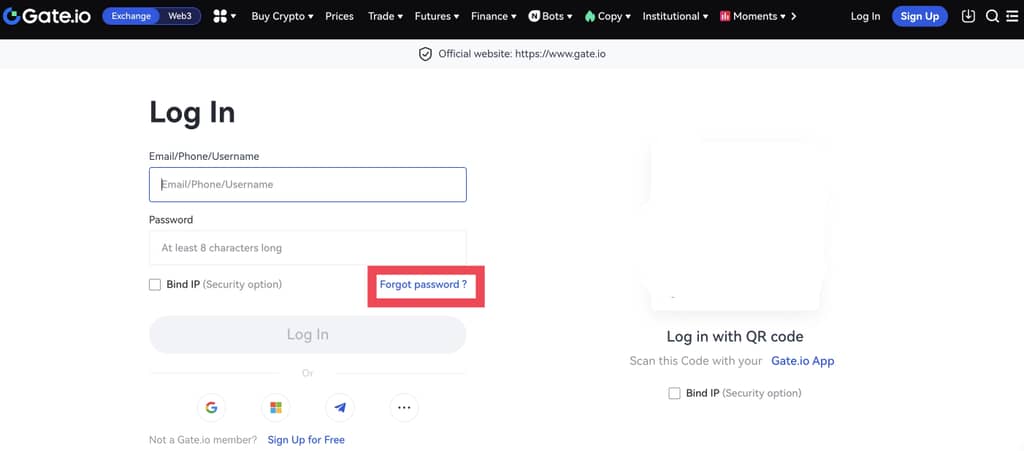
2. Adım: Giriş şifrenizi e-posta veya telefon numarası ile sıfırlamayı seçin. Ardından sıfırlamayı tamamlamak için talimatları izlemeniz yeterli olacaktır.

Gate uygulamasında giriş şifresi nasıl sıfırlanır:
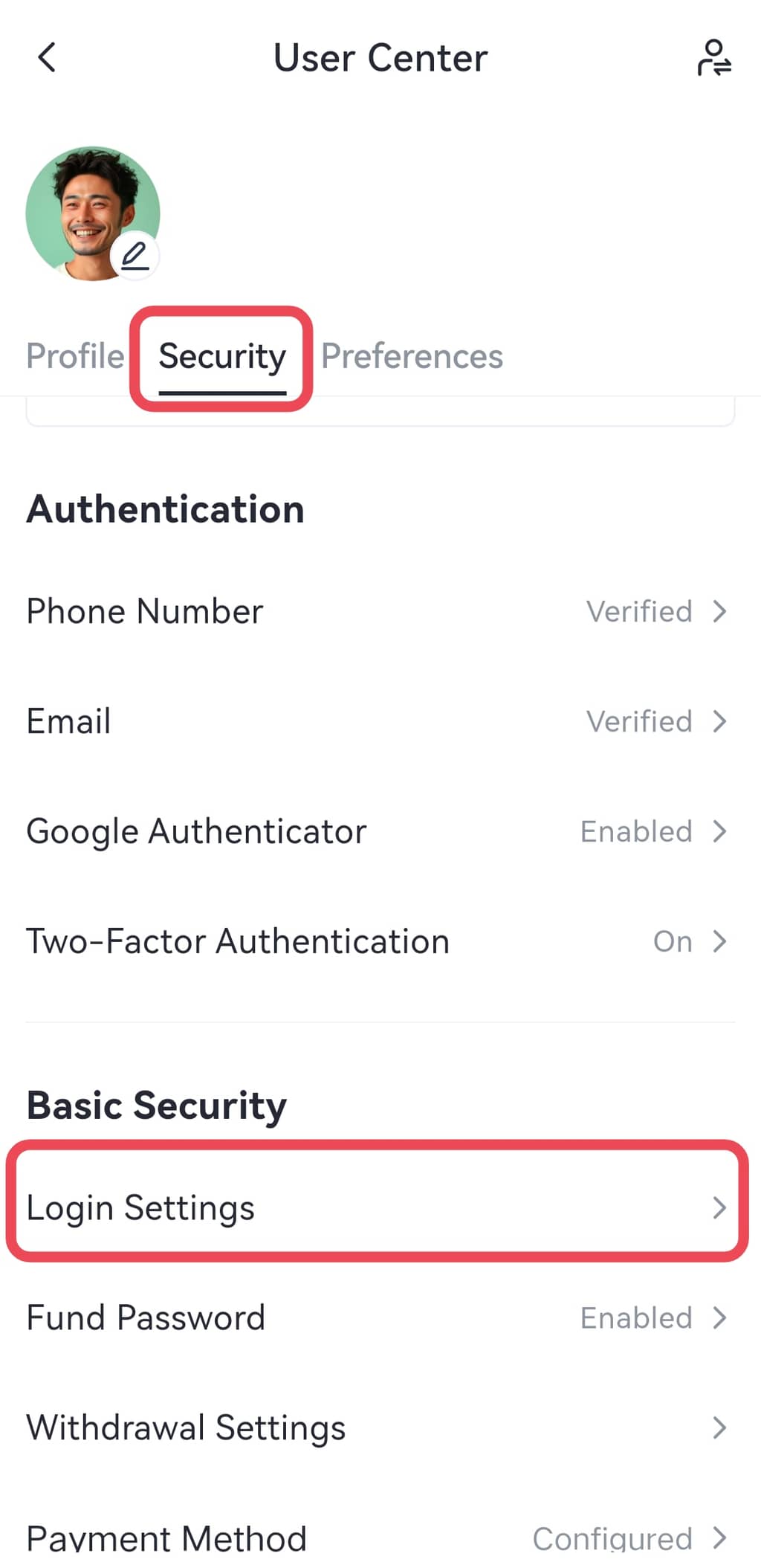
Gate mobil uygulamasını açın ve hesabınıza giriş yapın. Sol üst profil simgesine tıklayın ve “Güvenlik Merkezi” - “Giriş Ayarları”-“Giriş Şifresi (Değiştir)” seçeneğine gidin.

Giriş şifrenizi unutursanız, lütfen aşağıdaki işlemleri yapın:
Adım 1: Giriş sayfasında “Şifrenizi mi unuttunuz?” seçeneğine tıklayın.
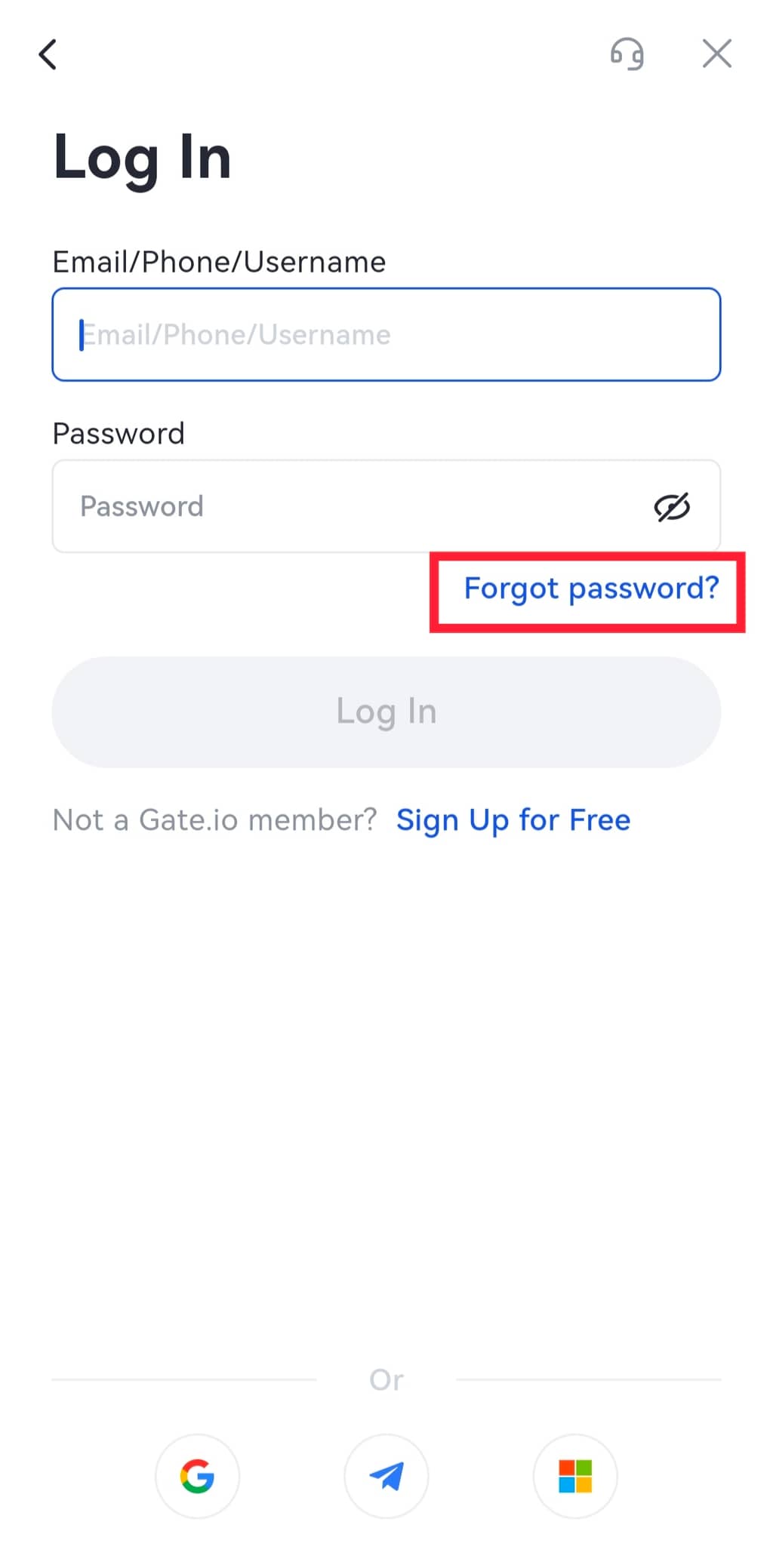
2. Adım: Giriş şifrenizi e-posta veya telefon numarası ile sıfırlamayı seçin. Ardından sıfırlama işlemini tamamlamak için talimatları izlemeniz yeterli olacaktır.
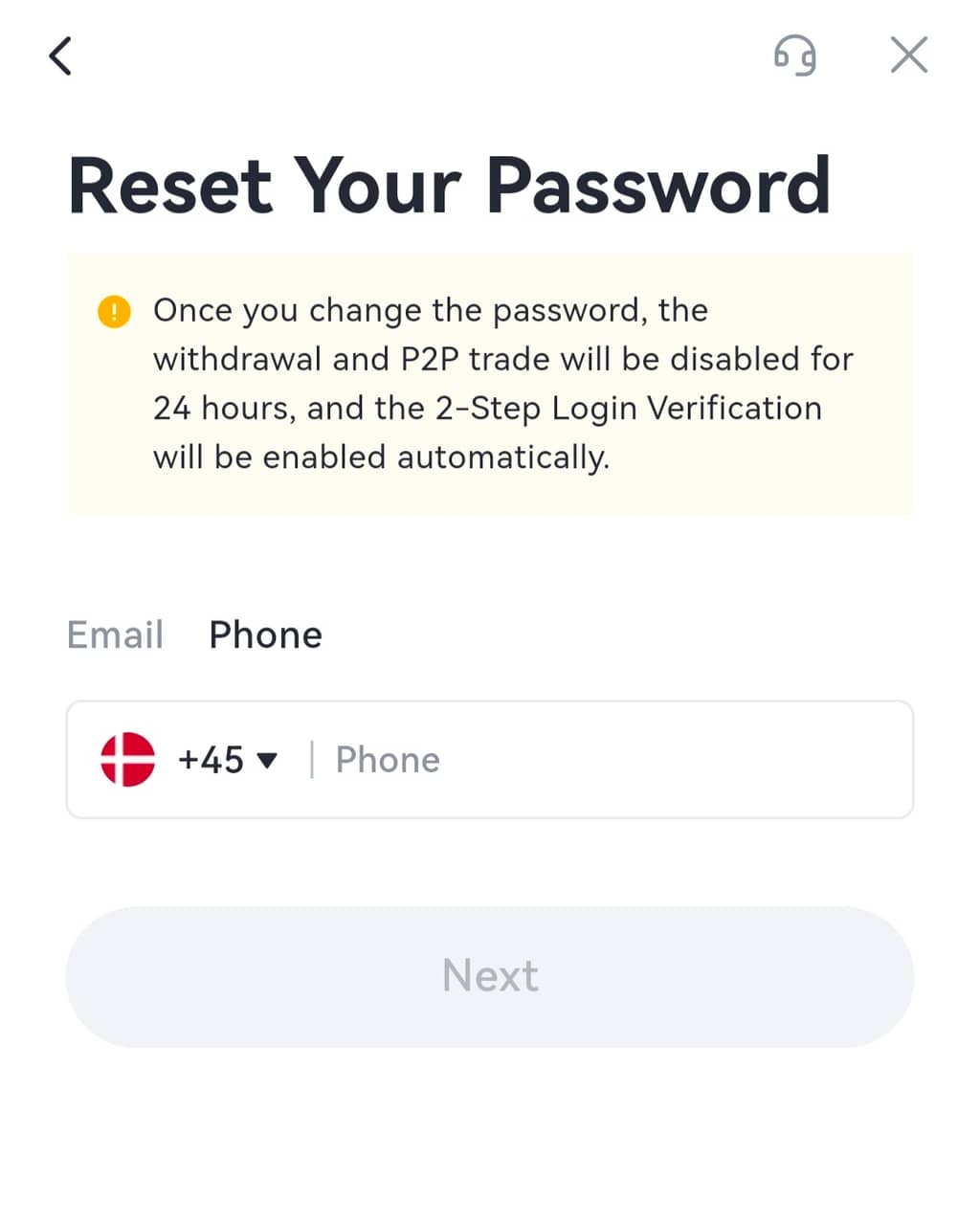
Not:
1. Para çekme ve P2P ticareti, şifre sıfırlandıktan sonra 24 saat boyunca devre dışı bırakılacaktır.
2. Giriş şifresi sıfırlandıktan sonra hesabınızdan otomatik olarak çıkış yapılacaktır. Yeni şifreyi kullanarak tekrar giriş yapmanız gerekir.
